
Digital inputs
Digital inputs
Generation 1 units have the option of four (standard) or expanded eight digital inputs.
They have an internal pull-down resistor and detect a logic high above 2.5V.
An alarm state can be set via the webapp as either high to low or low to high. An alarm state registers when its state change is more than five seconds.
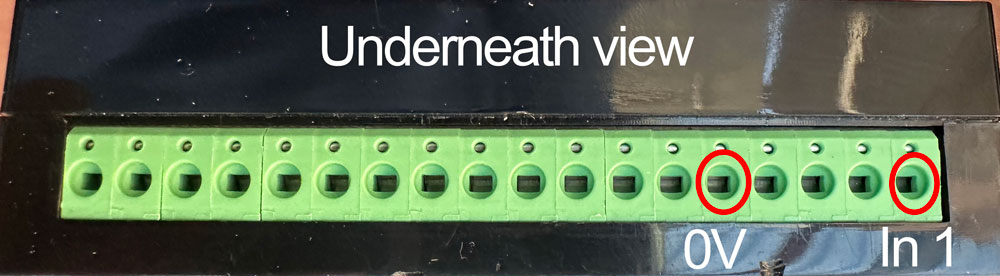
If using a logic input from an external source, it will need to be tied to the 0V of the device, to reference the voltage. Earth loops must be considered.
Example: push button
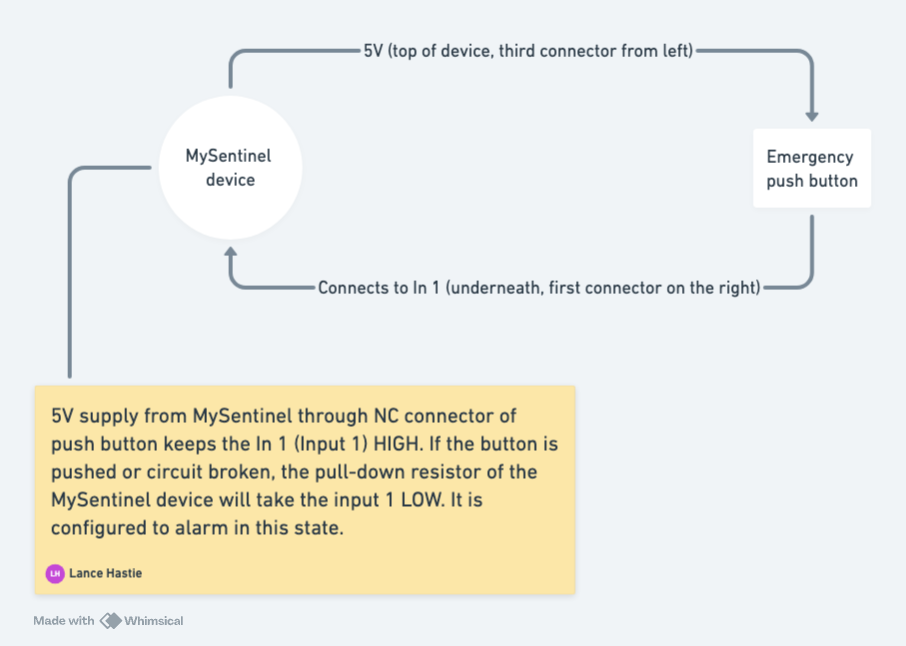
In this scenario an emergency push button is configured as a NC (Normally Closed) and when pushed, it opens the contact.
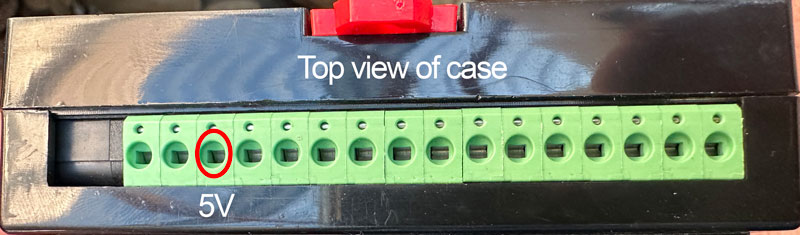
Using the 5V supply from the MySentinel device it passes through the button to the configured input (1 through 4).
If the button is pushed or the circuit is broken, it will alarm.
Example: Smoke detector
In this application the devices supplies 5V to the NC (Normally Closed) connector of the smoke detector, then connected to one of the digital inputs.
In an alarm state the smoke detector contact will open (breaking the circuit), resulting in an alarm state.
Powered instance:
Using the 12V supply from the MySentinel unit (second connector pin from the top, left-side), it provides a power source to the smoke detector. In the NC configuration if power is removed to the detector or circuit failure, the input will sink low and alarm.